

Getting started with the Spoke Connect Webhook API
Prepare your endpoint, then enable webhooks and select events in Connect, and send a test event.
Preparing to receive a Webhook Notification
Before enabling Spoke to send you webhook notifications, make sure you are prepared to receive them:
- You will need to implement an HTTPS endpoint to receive
POSTrequests. See Implementing the Endpoint. - For each request received from Spoke, your endpoint needs to answer with a
2xxstatus code. - Spoke will not send any data on unsafe connections. Make sure your endpoint is public and serves HTTPS with a certificate from a public certificate authority. Spoke rejects self-signed certificates.
Enabling the Webhook Notifications
Only retailer owners and admins can set up webhooks. Shippers do not see the Webhooks settings.
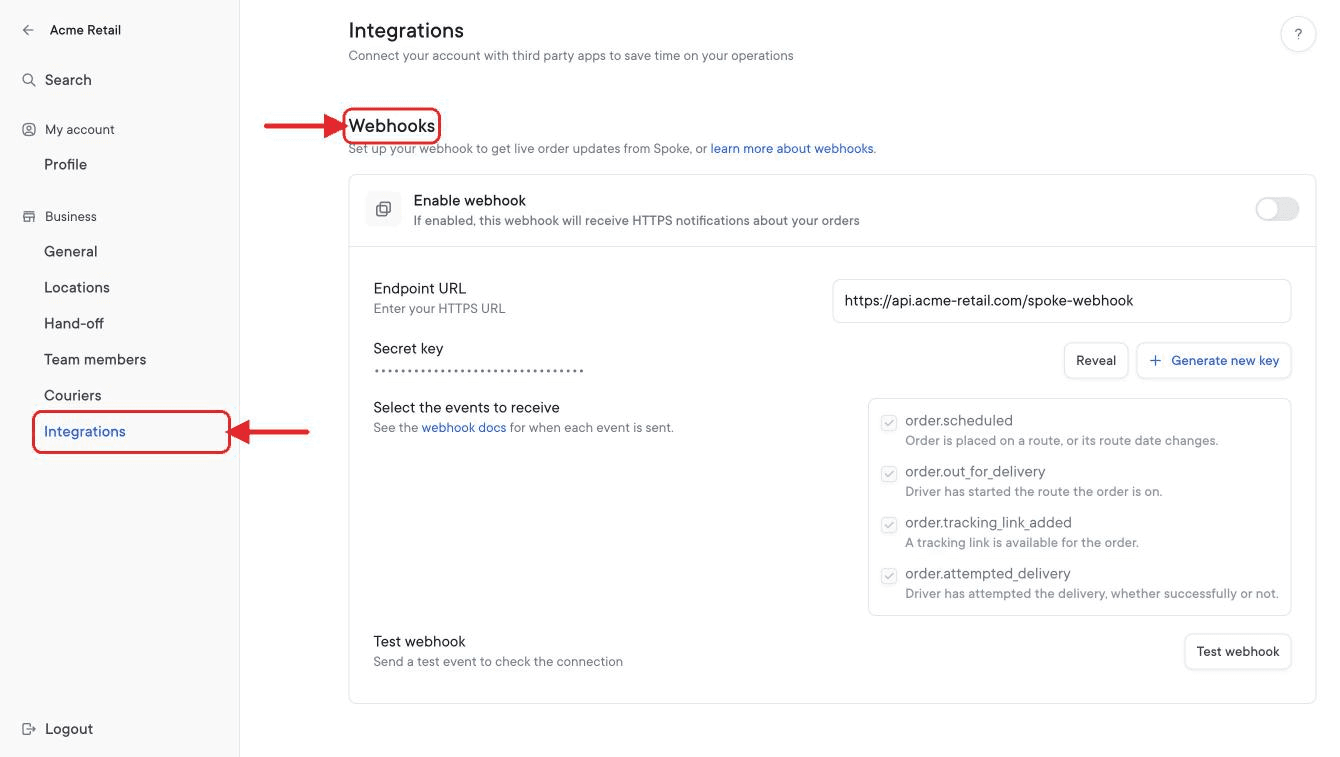
Fill your endpoint URL
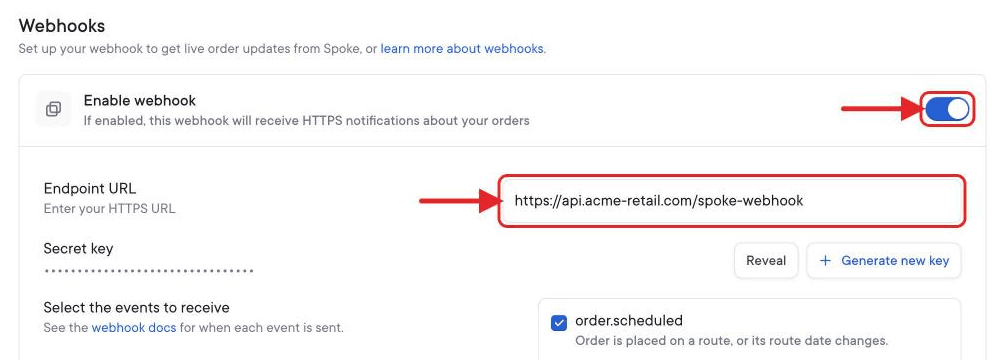
Enter your endpoint's HTTPS URL in Endpoint URL, then turn on Enable webhook. The toggle stays off until a URL is set.
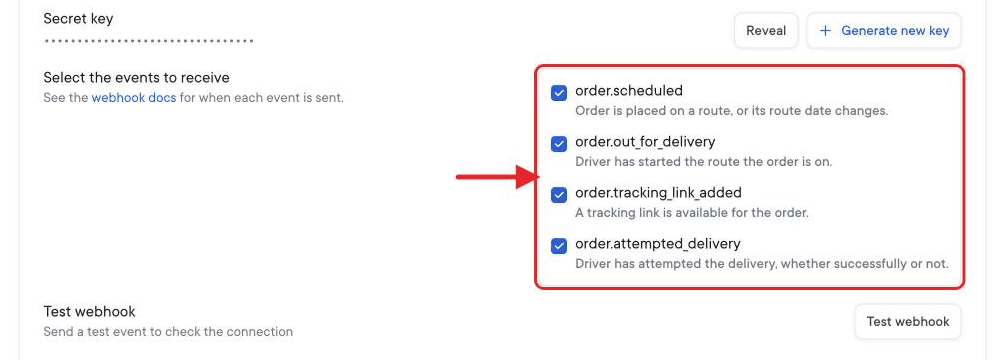
Select the events
Under Select the events to receive, check the events you want. The checkboxes stay off until webhooks are enabled. Spoke only sends the events you select. See Webhook Events for what each one means.
Connect saves the URL, the toggle and the events as you change them.
Test your webhook
Select Test webhook in the same section. Connect asks Spoke to send a signed event to your saved URL and shows the status code your endpoint returned. The button is disabled until a URL is set.

If Spoke cannot reach your endpoint, Connect says why instead of a status code: the URL is not valid or does not use HTTPS, it points to a private or reserved IP address, its host cannot be found, the connection failed, or your endpoint did not answer in time.
The test is a test.send_event event with a sample order as data: an order
a courier has put on a route that has not started yet, with an ETA and a
tracking link. The sample order has the id orders/W3kJpzQm9q4LV2BdH7sNuT,
which does not belong to your retailer. Use it to check that your endpoint
receives the request, verifies the signature, and parses the body. See
Webhook Events for the event.
A test event goes out once, and is not retried if your endpoint fails.
What now?
- Implementing the Endpoint shows a minimal handler.
- Securing the Endpoint shows where to find your webhook secret and how to verify that each request came from Spoke.
- Read Best Practices before you turn webhooks on for real orders.
Was this page helpful?